
Product finder Agentic AI: AI-powered template for individual product recommendations
Description
Agentic AI product advisor: recommends the right product to every visitor in real time, live in under 60 minutes.
Highlights
Highlights
- Find the right product for every visitor, powered by Agentic AI
- Average bounce rate ↓ 30 %
- Agentic AI asks a maximum of 3 follow-up questions or uses features
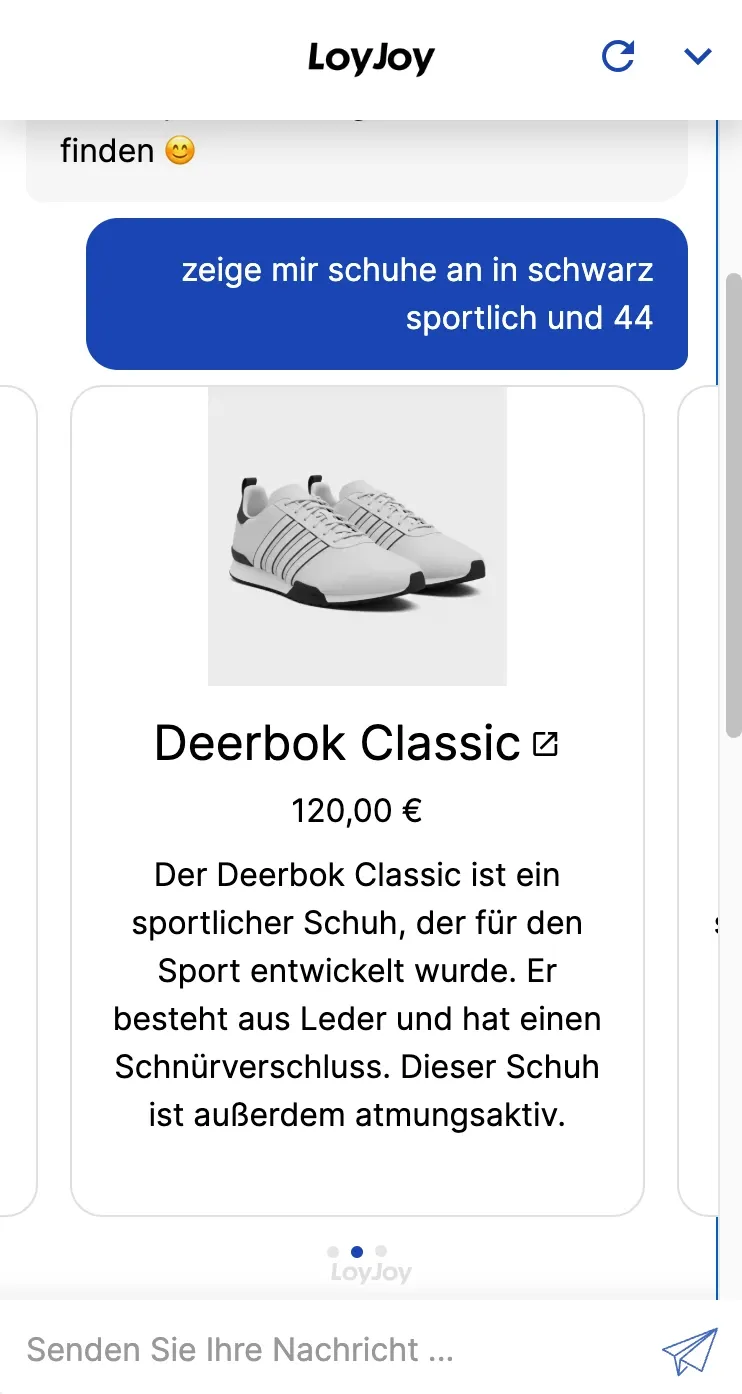
The Agentic AI product finder shows an AI-powered product advisor that works without a rigid decision tree. The AI agent asks every visitor a maximum of three targeted follow-up questions, or uses available product attributes, to pick the matching recommendation from your product catalogue live in the chat. In live operation at Wine in Black the approach lowers the average bounce rate by 30 percent.
You adjust the product catalogue, follow-up logic and tone of voice of the agent in the no-code editor.
Highlights
- Agentic instead of a rigid tree: The AI agent decides on the spot which follow-up question makes sense, instead of pushing visitors through a fixed set of questions.
- A maximum of three follow-up questions: If matching product attributes are already known, the agent uses them directly and asks even fewer questions.
- A lower bounce rate: In live operation at Wine in Black the product finder lowers the average bounce rate by 30 percent.
Use cases (examples)
- Wine selection by occasion, taste and budget, as at Wine in Black
- Advice for online shops with a large or highly varied product catalogue
- Cross-selling through matching add-on recommendations in the chat
- Lowering the drop-off rate on category and landing pages
- Taking load off customer service for recurring pre-purchase questions
What is included in the template?
- Importing your product catalogue via Excel/CSV or a feed URL
- Configurable follow-up logic for up to five advisory questions
- Adjustable tone of voice for the agent in the no-code editor
- A single line of JavaScript to embed it as a popup or inline widget
- The Wine in Black reference example as a template for your own use case
Get started in under 5 minutes
- Import your product data: Upload an Excel or CSV file, or point to the URL of your product feed.
- Define the advisory questions: Set three to five questions, or let customers type freely.
- Embed the widget: Add the single line of JavaScript to your shop theme, as a popup or as an inline widget.
Customers

Frequently asked questions
The AI agent does not follow fixed question paths. It decides on the spot which follow-up question makes sense, or uses product attributes it already knows. For simple, clearly structured ranges the Product Finder Decision Tree template is a good alternative.
A maximum of three. If matching product attributes are already available, the agent uses them directly and asks even fewer questions.
By uploading an Excel or CSV file, or by pointing to the URL of your existing product feed.
Via a single line of JavaScript that you add to your shop theme. The product finder appears as a popup or as an inline widget.
You can define three to five advisory questions, or let customers type freely. The agent uses either input to find the matching recommendation.
Yes. Wine in Black runs the Agentic AI product finder in production and lowers its average bounce rate by 30 percent as a result.