
LoyJoy Headless
Tell Claude what your AI Agent should do.
LoyJoy is a platform for customer service AI agents that you can control entirely from your AI assistant through an MCP server. Describe the task, the knowledge and the process in conversation. LoyJoy applies the change in your tenant, you approve the release. The same works with ChatGPT, Microsoft Copilot and other MCP-capable AI assistants. Included in all plans.
Building an agent has never been this easy
Illustrative example with sample data. The video is served from loyjoy.com, no data is sent to third parties.
You say it. Claude builds it.
What a change sounds like in conversation
Illustrative example. Which tools the assistant may use is governed by your roles and permissions.
Build, analyse, improve
Live: analytics in Claude

Analytics in Claude, in 2 minutes
Click to play. The video is only loaded from YouTube after the click (privacy friendly).
Setup in 2 minutes
How to connect LoyJoy Headless
Guide for your assistant
Click your assistant to expand the steps.
Claude (web and desktop)
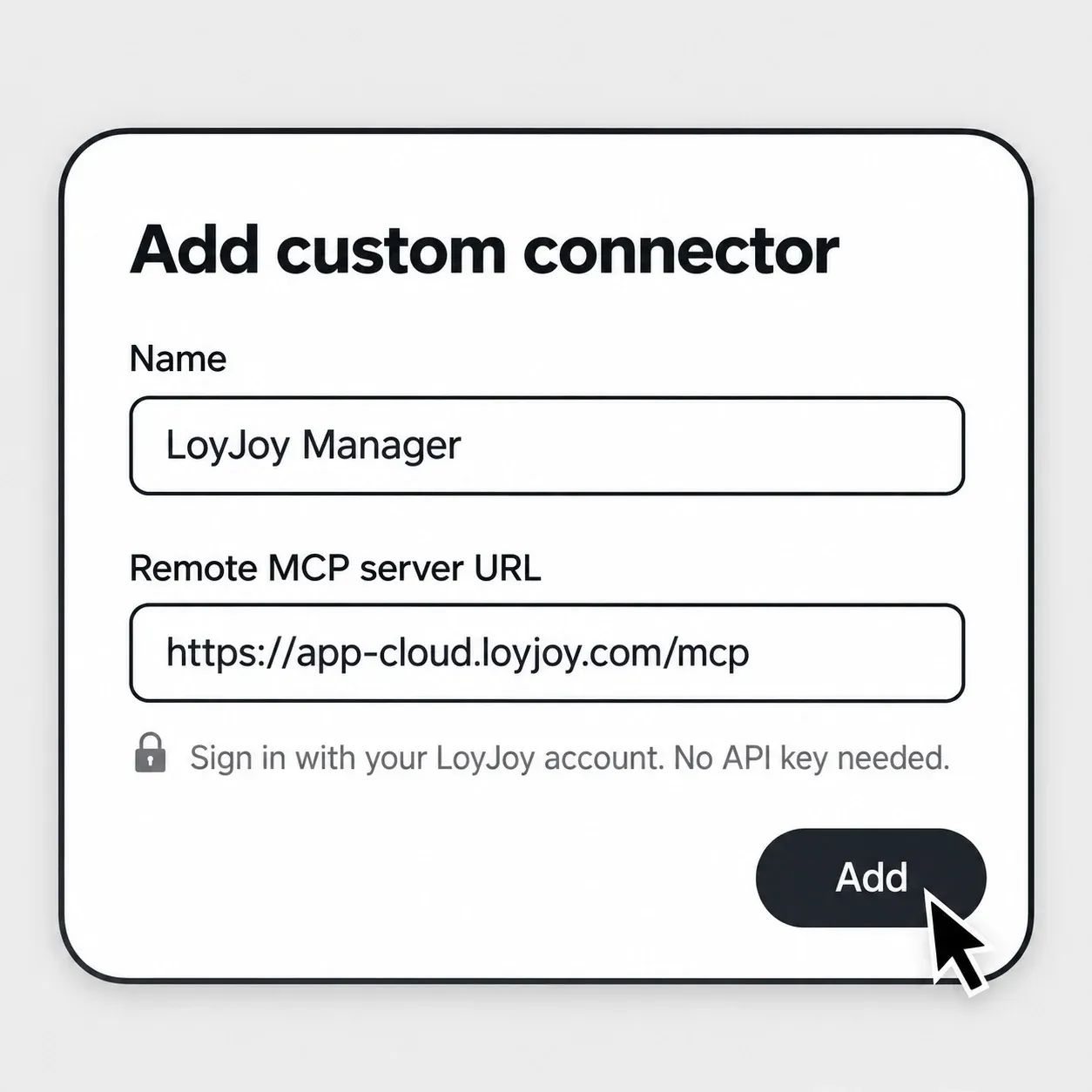
- Open Settings › Connectors and add a custom connector named “LoyJoy Manager” with the URL
https://app-cloud.loyjoy.com/mcp. Sign in to LoyJoy when prompted. - Open Settings › Plugins, click Add › Add marketplace, enter
loyjoy/loyjoy-skillsand sync. - In the Discover tab, add the plugins LoyJoy Headless and LoyJoy Phone Agent Builder.
Claude Team and Enterprise: only an owner can add custom connectors. The owner adds the connector once under Organization settings › Connectors, then each member signs in with their own LoyJoy account.
ChatGPT (Codex)
- Open Plugins and click Add › Add MCP server. Name “LoyJoy Manager”, type Streamable HTTP, URL
https://app-cloud.loyjoy.com/mcp. Leave all other fields empty. - Save and sign in to LoyJoy.
- Click Add › Add plugin marketplace: source
loyjoy/loyjoy-skills, Git refmain. - Under Personal, click + next to loyjoy-headless and loyjoy-phone-agent-builder.
Claude Code
/plugin marketplace add loyjoy/loyjoy-skills
/plugin install loyjoy-headless@loyjoy-skills
/plugin install loyjoy-phone-agent-builder@loyjoy-skills
Microsoft Copilot, OpenWork and other assistants
- The assistant must support remote MCP servers with sign-in (OAuth).
- Add
https://app-cloud.loyjoy.com/mcpas an MCP server and sign in to LoyJoy. - If the assistant supports skills but not plugins, copy the folders
plugins/*/skills/from the GitHub repository loyjoy-skills into its skills directory.
For every assistant: no API key needed. Your role in the LoyJoy tenant determines what the assistant may change.
LoyJoy remains your execution layer
Understand the three MCP directionsWhat you need
- 1. A LoyJoy tenant. LoyJoy Headless is included in all plans.
- 2. An MCP-capable assistant. Claude, ChatGPT, Microsoft Copilot, OpenWork or any other MCP-capable assistant. In Claude Team and Enterprise, an owner adds the connector once for the whole organization.
- 3. Permissions. The assistant only uses the tools approved for your access.
- 4. LoyJoy Skills. The free plugin for your assistant, open on GitHub: loyjoy/loyjoy-skills
Add the marketplace (Claude Code)
/plugin marketplace add loyjoy/loyjoy-skills/plugin install loyjoy-headless@loyjoy-skillsIn the Claude desktop app, add the marketplace loyjoy/loyjoy-skills and install the plugin in the Discover tab. All steps for every assistant are in the step-by-step guide.
The AI assistant itself may be subject to separate licences and data processing terms from its provider.