
Loyalty promotion: chatbot template with quiz, points and rewards
Description
Loyalty promotion chatbot: an interactive quiz to collect points and a choice of two rewards, ready to boost customer engagement.
Highlights
Highlights
- Loyalty Promotion
- Collect points flexibly and redeem them for rewards
- Flexible number of points, rewards and availability of rewards
- Strengthen customer relationships
- Spread joy and loyalty
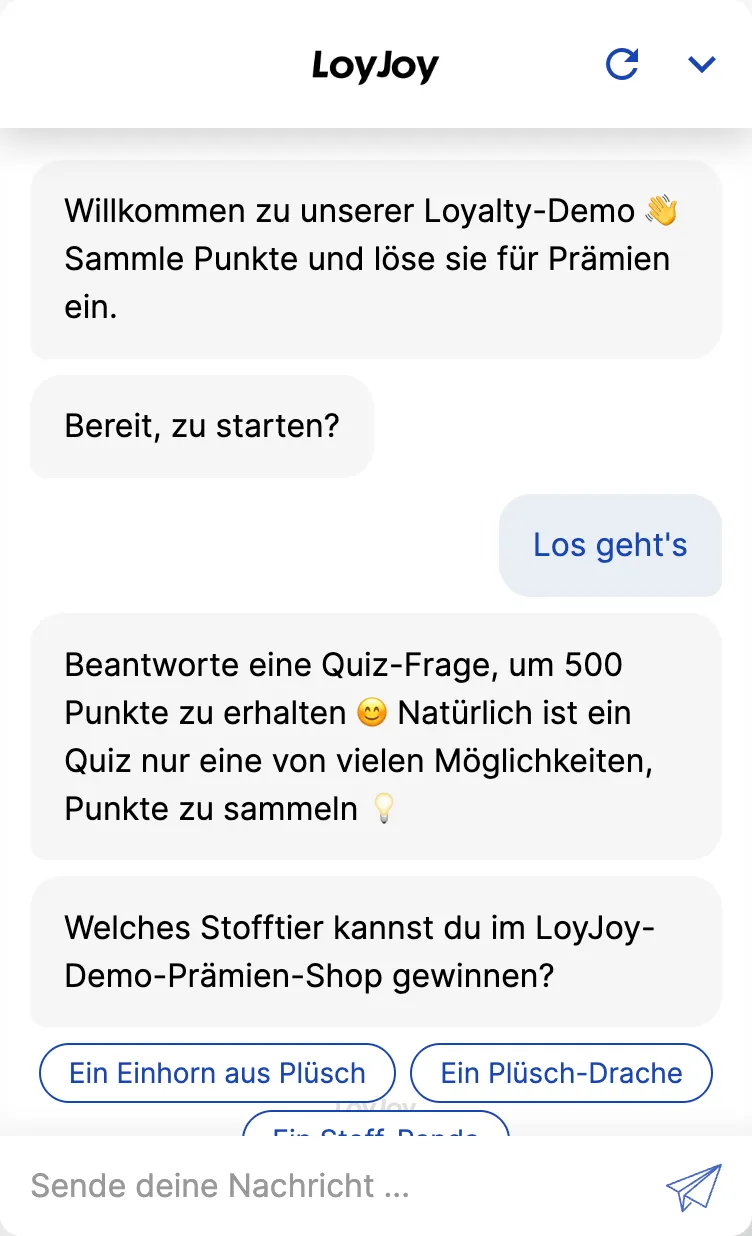
This template combines a quiz, a points system and reward redemption in one coherent loyalty flow. Participants answer quiz questions, collect points for it and redeem them right in the dialogue for one of two stored rewards. Scoring logic, quiz questions and rewards are fully configurable in the no-code editor.
Highlights
- Quiz, points and rewards in one flow: Participants answer questions, collect points and redeem them in the very same dialogue, with no channel switch.
- A choice of two rewards: The template ships with two configurable rewards that participants choose between at redemption.
- Leads right inside the loyalty flow: Contact data and marketing opt-in are captured in the same dialogue and can be passed to your CRM or newsletter tool.
Use cases (examples)
- Short-term loyalty promotion without a permanent points account
- Product launch with a playful quiz and an attractive reward
- Seasonal campaign with a limited reward offer
- Website or social media activation to increase engagement time
- Lead generation through a rewarded quiz instead of a classic form
What is included in the template?
- Prepared quiz with configurable scoring logic
- Two stored rewards including redemption logic
- Contact data and marketing opt-in capture built into the dialogue
- No-code editor for questions, points and rewards
- Integration option to your CRM or newsletter tool
Get started in under 5 minutes
- Install the template: Add the template to your workspace with a single click.
- Adjust the quiz and scoring logic: Edit questions, answer options and point allocation in the no-code editor.
- Configure the rewards: Set up the two rewards and the score required to redeem each one.
- Test and publish: Run through the flow yourself once, then embed the chat on your website.
Frequently asked questions
No. The template works on its own with a points account managed in chat. Connecting to an external loyalty system is not required, but possible via API.
The template ships preconfigured with two rewards, additional rewards can be added in the no-code editor.
For a standalone quiz without reward redemption, our quiz with score template is the better fit.
It is captured with marketing opt-in in line with GDPR requirements in the dialogue and can be passed via integration to your CRM or newsletter tool.
Both. For a short promotion, use the points account managed in chat directly, for a permanent loyalty programme, connect the template via API to your existing loyalty system.
Points are awarded per correct or submitted answer in the quiz. You configure the exact scoring logic in the no-code editor.