Live Avatar D-ID Chatbot Template
Description
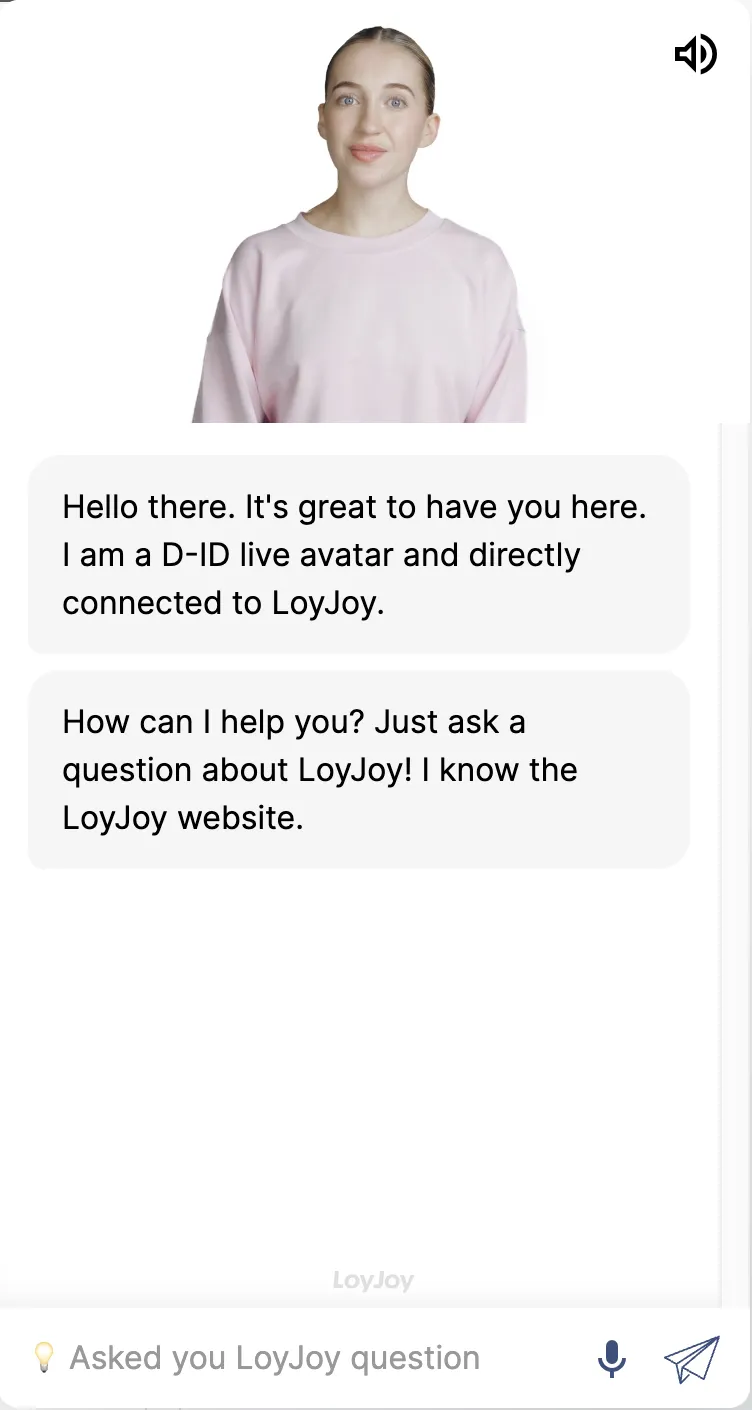
D-ID live avatar in chat: a lifelike avatar engages your users around the clock, ready in minutes without any coding required.
Highlights
Highlights
- Avatar approach with personality
- Active around the clock
Bring your chat to life with the LoyJoy Live Avatar D-ID template
Make your chat a real eye-catcher - with the Live Avatar D-ID template from LoyJoy! This template combines interactive button selection with a lively avatar that speaks directly to your users. Ideal for FAQ entries, service selection or campaigns: Your customers select their request with one click and are guided directly through the appropriate chat flow. The avatar ensures maximum attention and a modern, emotional user approach.
Getting Started
- Add the template to your personal workspace in LoyJoy.
- Create your agent in D-ID.
- In the agent’s three-dot menu, click “Edit.” You’ll now find your agent’s D-ID ID in the URL (v2_agt_eLJ1T75T).
- Set up the avatar in LoyJoy. Upload the idle video and your avatar’s image, and enter your API key, D-ID, and Voice ID.
- Customize the chat flow to fit your theme. You can easily arrange buttons, text, and paths using drag-and-drop…