

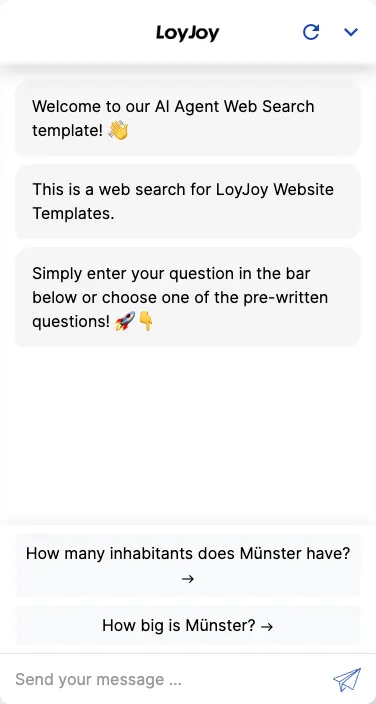
AI agent web search: AI chatbot template with real-time web research
Description
AI agent web search: searches the web in real time and delivers up-to-date, contextual answers directly in chat.
Highlights
Highlights
- AI-powered web search directly in the chat
- Always up-to-date information – no manual updates required
- Contextual and relevant responses based on user queries
- Ideal for service bots, information portals, or live campaign experiences
The template equips an AI agent to answer user questions with a real-time web search. The agent recognises the request, calls the web search tool, summarises the results and returns the answer including source references in the chat.
Topic filters and allowed sources can be narrowed down via the AI instruction, and the agent can additionally access the LoyJoy knowledge base to combine your own content with external information.
Highlights
- Web search directly in the chat: The agent recognises when a web search is needed, triggers it on its own and returns the answer including source references.
- Always up-to-date information: Without any manual upkeep, the agent draws on current content from the web instead of outdated knowledge content.
- Combinable with your own knowledge base: Web search and the LoyJoy knowledge base can be used together, so your own content is complemented with external information.
Use cases (examples)
- Service agents answering questions about current events or market developments
- Information portals tied to day-to-day content
- Live campaigns related to dates or events
- Complementing internal knowledge content with current external sources
- Answering questions that fall outside your own knowledge base
What is included in the template?
- A pre-configured AI agent with web search enabled
- An AI instruction to narrow down topic filters and allowed sources
- An optional connection to the LoyJoy knowledge base for your own content
- A chat that includes source references in its answers
Get started in under 5 minutes
- Install the template
- Define topics and sources: Narrow down allowed topics and sources for the web search in the AI instruction.
- Add your knowledge base (optional): Add your own content to the LoyJoy knowledge base to combine it with the web search.
- Deploy the chat: Roll it out on your website, via QR code or in your app.
Frequently asked questions
The agent evaluates the user question and decides on its own whether a web search makes sense, instead of running one for every single request.
Yes, you set topic filters and allowed sources via the AI instruction.
The agent returns the answer including source references from the web search directly in the chat.
Yes, the agent can additionally access the LoyJoy knowledge base and combine your own content with external information.
No, that is the advantage of the web search. Current information comes live from the web, with no manual upkeep required.
On your website, via QR code or in your app, just like other LoyJoy templates.