
Audio and video: LoyJoy template for multimedia in chat
Description
Experience the versatility of our audio and video modules, designed to enhance user engagement and provide a richer interactive experience.
Highlights
Highlights
- Interactive media
- Enhanced user engagement
- Versatile user experience
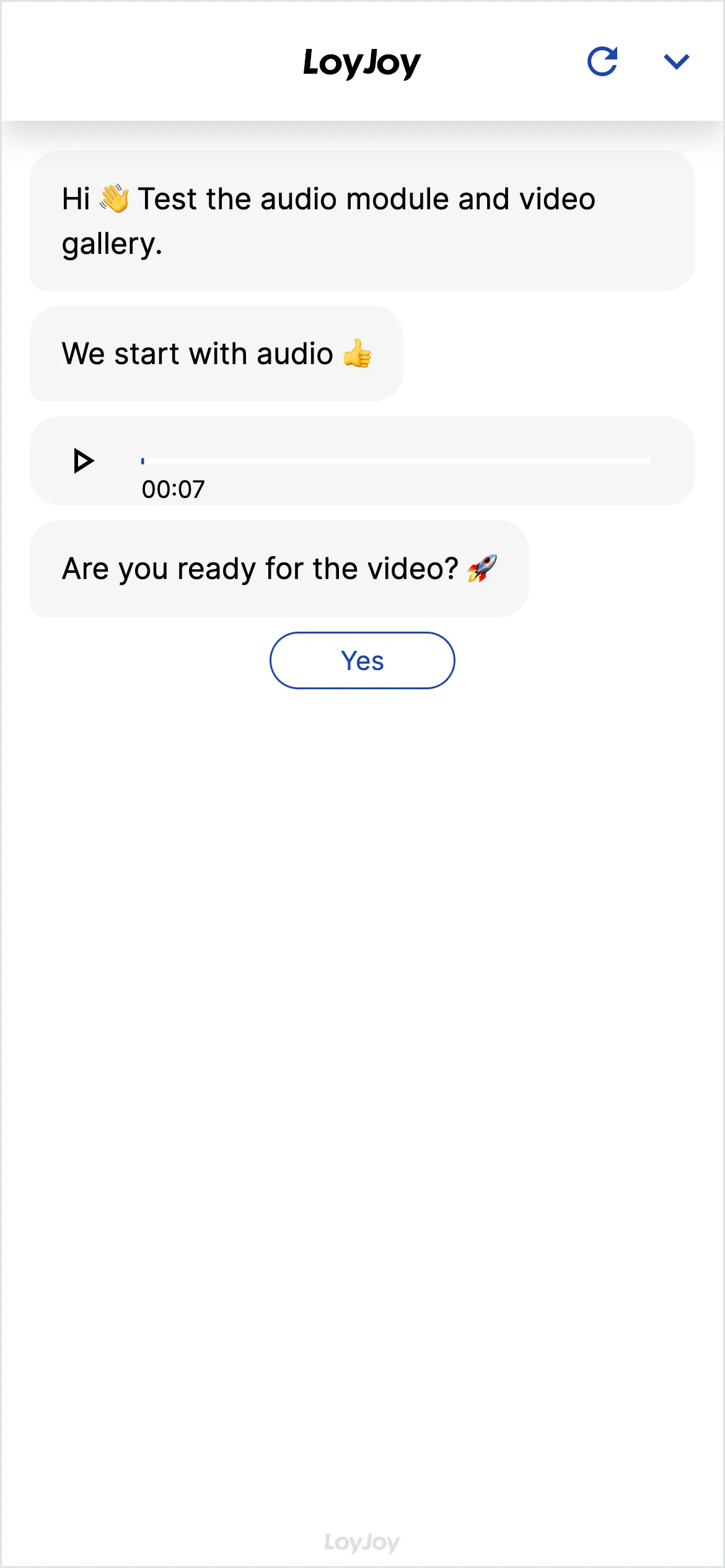
This template shows the audio and video modules of the LoyJoy Platform in a connected chat. You hear audio files, see videos embedded from YouTube or Vimeo, and experience how users send voice messages while the agent replies with audio.
Highlights
- Audio and video playback in chat: Play your own files or embed external sources such as YouTube and Vimeo directly in the conversation.
- Voice messages in both directions: Users send voice messages, and the agent can reply with audio as well.
- Your own media via drag and drop: Upload files in asset management and reuse them in any chat flow.
- Fine-grained control per module: Volume, autoplay and playback controls are configurable for each module individually.
Use cases (examples)
- Play explainer videos after a product question
- Voice messages for more accessible, low-friction communication
- Audio replies from the agent for a more personal experience
- Product demos and training videos right inside an advisory flow
- Onboarding videos for new customers or employees
What is included in the template?
- Audio module for your own files and voice messages
- Video module including YouTube and Vimeo embedding
- Asset management with drag-and-drop upload for your own media
- Configurable options for volume, autoplay and playback controls
Get started in under 5 minutes
- Install the template
- Run through the demo chat: Experience the audio and video modules working together.
- Upload your own media: Add files in asset management and replace the sample media.
- Adjust the controls: Set volume, autoplay and playback controls per module to fit your use case.
Frequently asked questions
Your own audio and video files, plus embedded external sources such as YouTube and Vimeo.
Yes. The audio module supports voice messages in both directions, users send audio and the agent can reply with audio as well.
Via asset management, using drag and drop. From there you can reuse the file in any chat flow.
Yes, both are configurable per module, as are the playback controls that are shown.
No. Audio and video modules are configured in the no-code editor.
Explainer videos, product demos, accessible communication via voice messages and a more personal experience through audio replies.